BogoBogo User Guide
What is BogoBogo?
BogoBogo is a desktop app for small business owners to manage inventories, optimized for use via a Command Line Interface (CLI) while still having the benefits of a Graphical User Interface (GUI). If you can type fast, BogoBogo can get your inventory management tasks done faster than traditional GUI apps.
With BogoBogo, business owners can:
- manage inventories
- record customer orders
- track profit, costs, and revenue
Table of contents
Getting started
1 . Ensure you have Java 11 or above installed in your Computer.
2 . Download the latest BogoBogo.jar from here.
3 . Move the file to the folder you want to use as the home folder for the application.
4 . Double-click the file to start the app. The GUI similar to the below should appear in a few seconds. Note how the app contains some sample data.
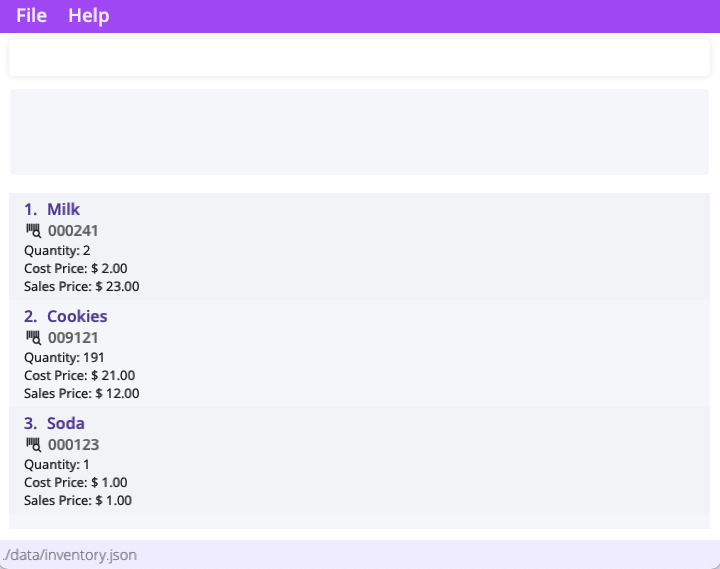
 You might have to give your device permission to open BogoBogo.
 5 . Let’s try adding a new item! Enter the command in the command box.
add Apple id/139827 c/3 cp/1.3 sp/2.4 : Adds an apple with id 139827, cost price $1.3, and sales price $2.4, into the inventory.
6 . Congrats on setting up BogoBogo! Read our features to learn about the different commands you can do with the application.
Ready to jump right into recording your inventory? Use clear to clear the sample data! 7 . To close BogoBogo, simply enter exit into the command box.
Managing Inventory
 Notes about the command format:
-
Words in
{}are the parameters to be supplied by the user.
e.g. inadd {name},nameis a parameter which can be used asadd milk. -
Parameter prefixes such as
sp/andcp/are special keywords that indicate a start of a parameter. -
Parameters in
()are optional.
e.g. inadd {name} (c/{count}), thecountparameter can be omitted from the command. -
Items in
[]with|(vertical slash) are exclusively optional (user must specify at least one of the options).
e.g.delete [{name} | id/{id_number}]should be supplied with eithernameorid number. -
Items with
…after them can be specified zero or more times.
e.g.[t/TAG]…can be used ast/popular t/baked -
Prefixed parameters can be in any order.
e.g.id/{id number} cp/{cost price}andcp/{cost price} id/{id number}are interpreted as the same thing. -
If a parameter is expected only once in the command is specified multiple times, only the last occurrence of the parameter will be taken.
e.g. if you specifyid/123413 id/567856, onlyid/567856will be taken. -
Extraneous parameters for commands that do not take in parameters (such as
help,exitandclear) will be ignored.
e.g. if the command specifieshelp 123, it will be interpreted ashelp.
Viewing help : help
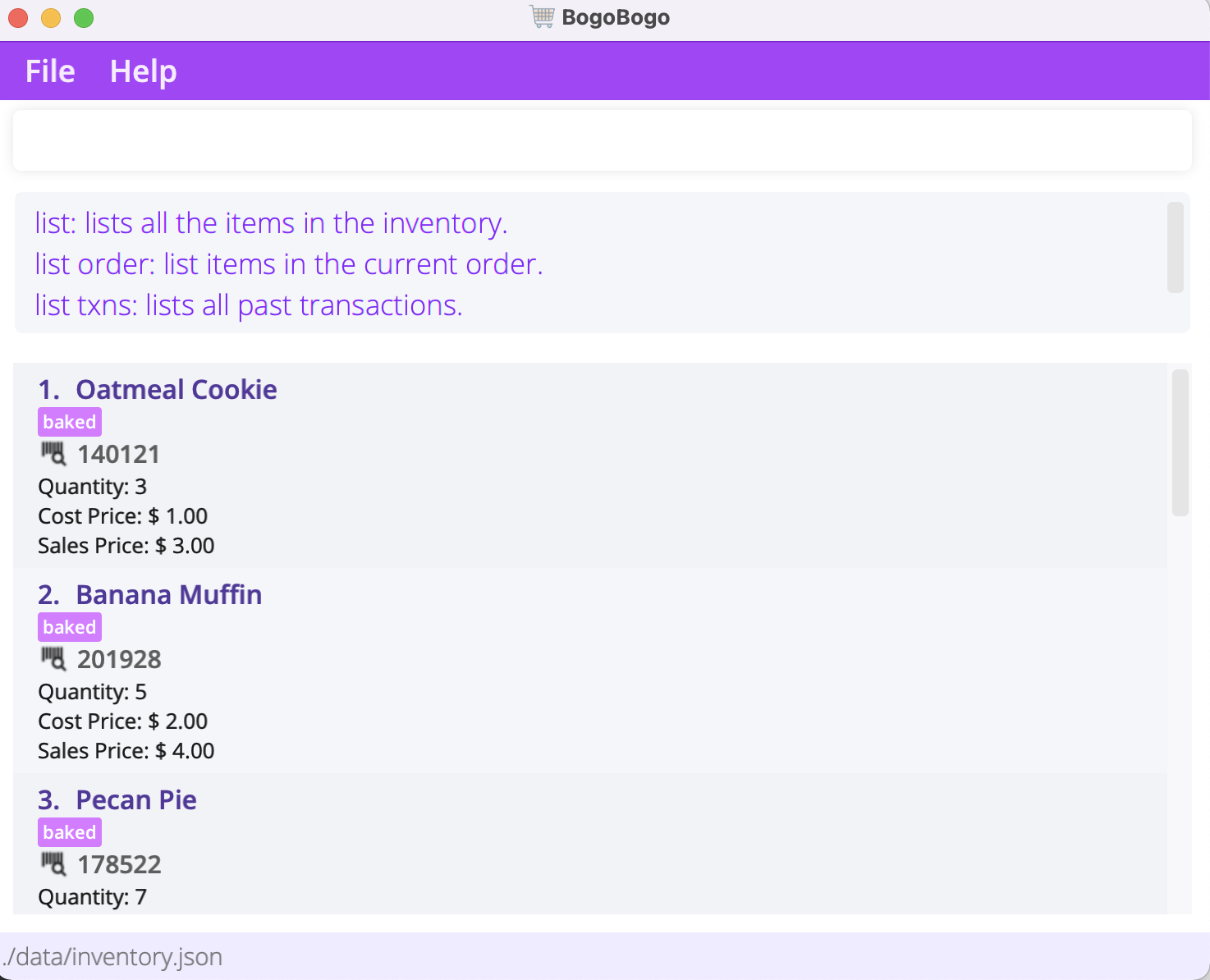
Gives a quick link to this user guide. If a command word is specified, it’ll explain how to use the specified command instead.
Format:
-
help: Shows help page url. -
help {command}: Explains how to use the specified command.
Examples:
-
help listoffers information regarding thelistcommand.
Adding items: add
Adds an item to the inventory.
Format: add [{name} | id/{id number}] (c/{count}) (cp/{cost price}) (sp/{sell price}) (t/{tag})...
| Prefix | Argument | Description | Remarks |
|---|---|---|---|
| name | Name of the item to add. | Only alphanumeric characters (and spaces) are allowed. | |
id/ | id number | Id number of item to add. | Must be an integer with no more than 6 digits. |
c/ | count | Quantity of the item to add. | Must be an integer, default value is 1. |
cp/ | cost price | Cost price of the item to add. | Must be non-negative. |
sp/ | sell price | Sell price of the item to add. | Must be non-negative. |
t/ | tag(s) | Tags of the item to add. | Only alphanumeric characters are allowed. |
When adding an item for the first time, the name, id, cost price, and sales price must all be specified. Examples:
-
add appleadds an apple into the inventory. -
add id/111111 c/2adds 2 of item with id 111111 into the inventory. -
add banana id/192023 cp/1.0 sp/2.2adds a banana (id 192023) with cost price $1.0 and sales price $2.2 into the inventory.
BogoBogo will get confused if different items have matching names or id. Hence, adding different items with clashing names/ids are is not supported. 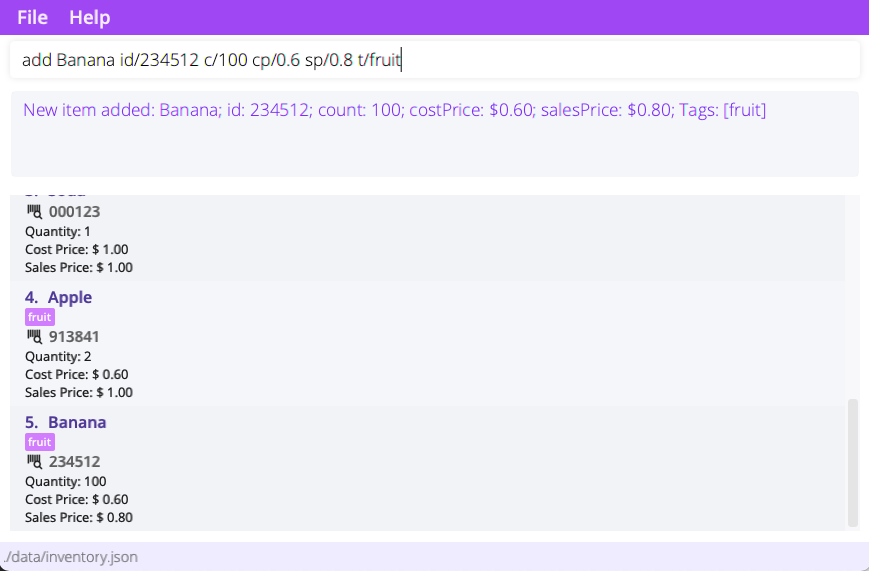
Deleting items : delete
Deletes all the specified item from the inventory. Use this command to delete items wrongly keyed into the inventory. Costs initially incurred from the item will be removed too.
Format: delete [{name} | id/{id number}]
| Prefix | Argument | Description | Remarks |
|---|---|---|---|
| name | Name of the item to delete. | Only alphanumeric characters (and spaces) are allowed. | |
id/ | id number | Id number of item to delete. | Must be an integer with no more than 6 digits. |
- Delete the specified item entirely from the inventory.
-
An item can be specified by name, id number , or both.
-
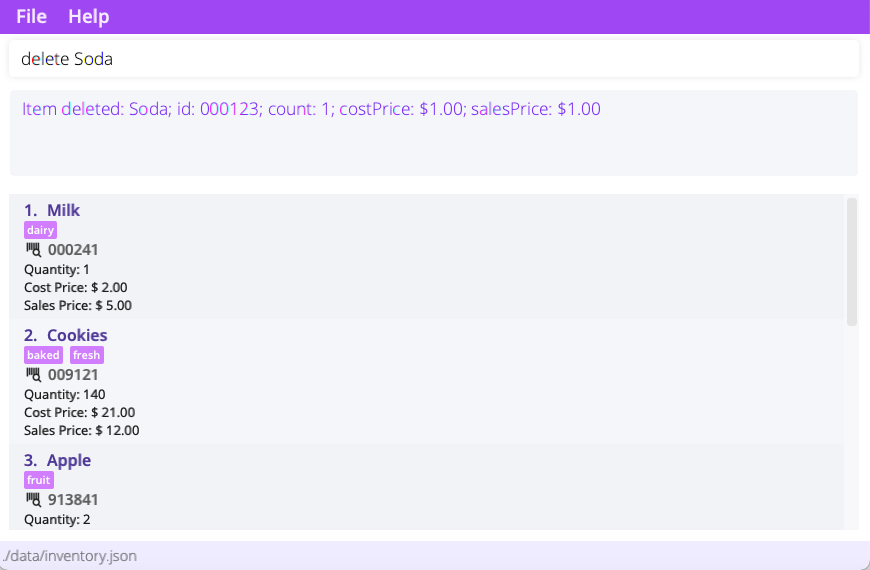
delete Appledeletes by name. -
delete id/181817deletes by id number.
Removing items : remove
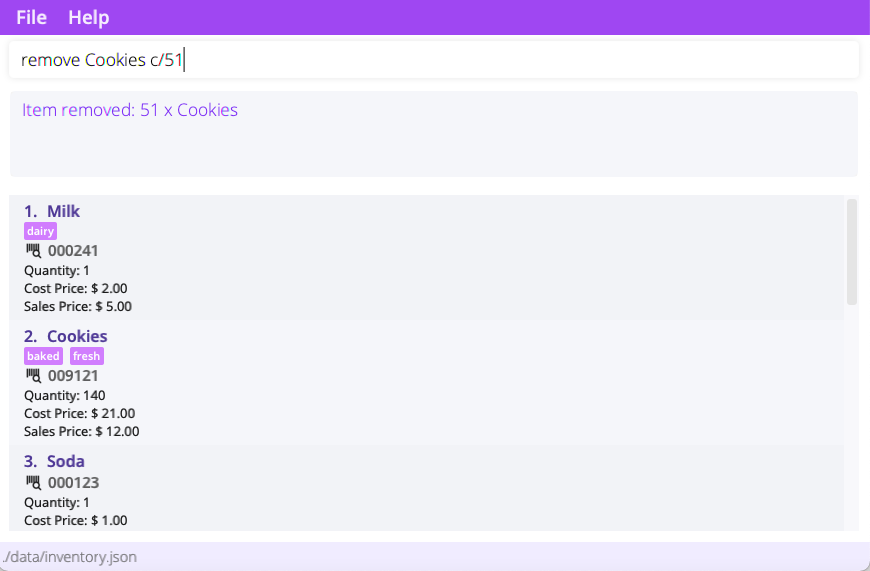
Removes a specified amount of a particular item from the inventory.
Format: remove [ {name} | id/{id number} ] c/{count}
| Flag | Argument | Description | Remarks |
|---|---|---|---|
| name | Name of the item to remove. | Only alphanumeric characters (and spaces) are allowed. | |
id/ | id number | Id number of the item to remove. | Must be an integer with no more than 6 digits. |
c/ | count | Quantity of the item to remove. | Must be an integer, default value is 1. |
- An item can be specified by name, id number, or both.
Examples:
-
remove Appleremoves one apple from inventory -
remove id/181817 c/5removes 5 of item with id 181817
Editing an item : edit
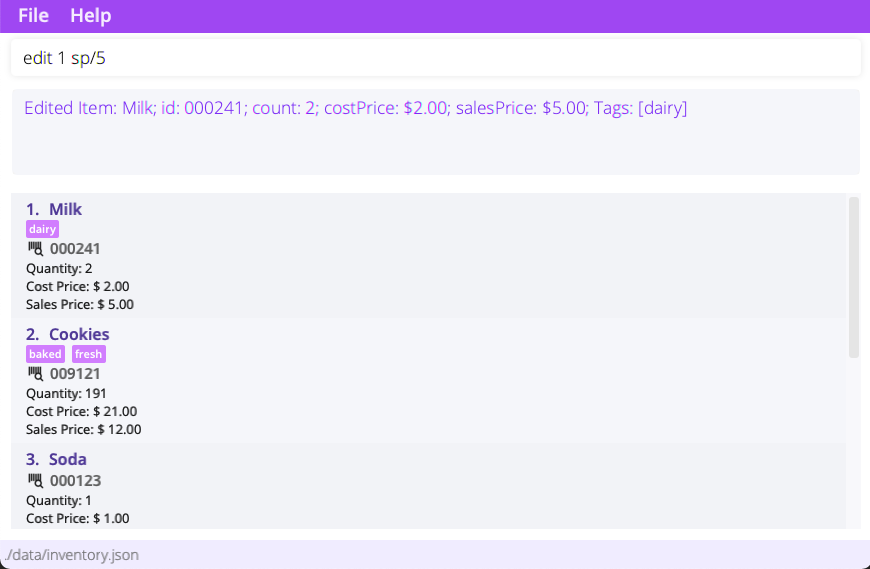
Edit a particular item in the inventory. Note that display must be in inventory mode (see list) .
Format: edit {index} (n/{name}) (id/{id}) (cp/{cp}) (sp/{sp}) (t/{tag})...
| Flag | Argument | Description | Remarks |
|---|---|---|---|
| index | index of the item to edit. | Index is 1 based. | |
n/ | name | new name for the item. | Only alphanumeric characters (and spaces) are allowed. |
id/ | id number | new id number for the item. | Must be an integer with no more than 6 digits. |
cp/ | cost price | new cost price for the item. | Must be non-negative. |
sp/ | sell price | new sales price for the item. | Must be non-negative. |
t/ | tag | new tag(s) for the item. | Only alphanumeric characters are allowed. |
- Feel free to edit multiple fields at once!
- Count cannot be edited, use
add,deleteorremoveinstead.
 When editing tags, old tags will be overwritten!
 Examples:
-
edit 1 id/192028edits first item’s id to 192028. -
edit 2 n/Panadol cp/2edits second item’s name to “Panadol” and cost price to $2.0.
Listing items: list
List items in the inventory, current order, or past transactions.
Format:
-
list: List items in the inventory. -
list order: List items in the current order (if any). -
list txns: List past transactions, along with total costs, revenue and profit. -
list txns {id}: List items in the specified transaction.
 Where can I find the transaction id?
The transaction id can be found to the right of the transaction timestamp when you
list txns. 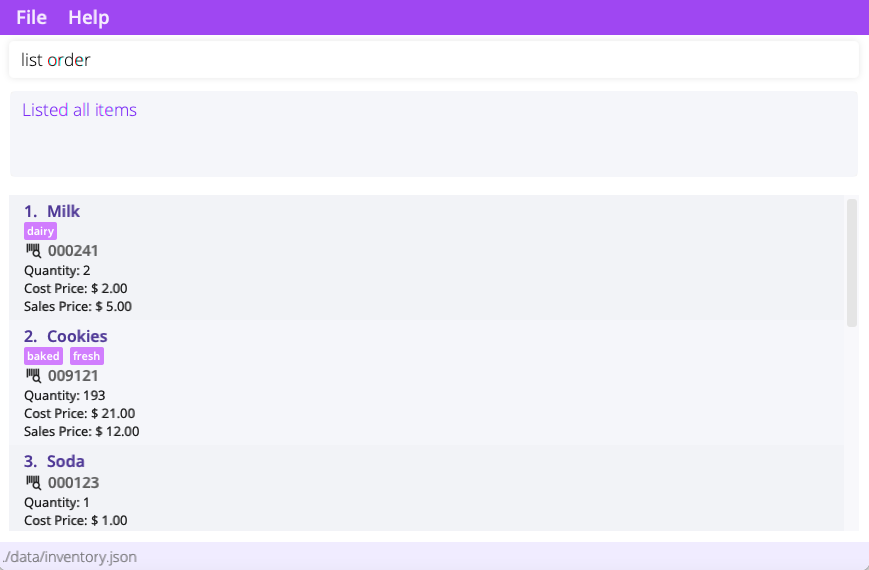
Sorting items: sort
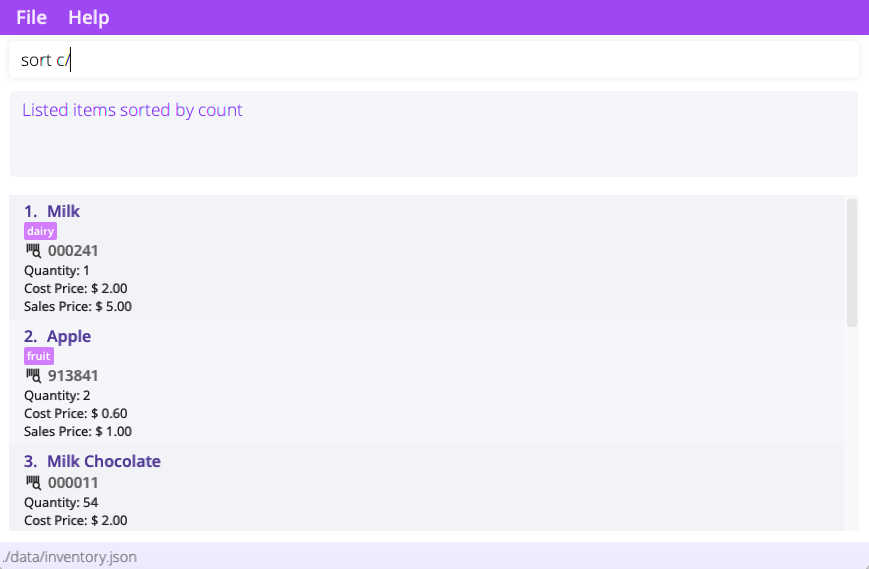
Sort items in the inventory. Note that display must be in inventory mode (see list).
Format:
-
sort n/: Sort items in the inventory by name. -
sort c/: Sort items in the inventory by count.
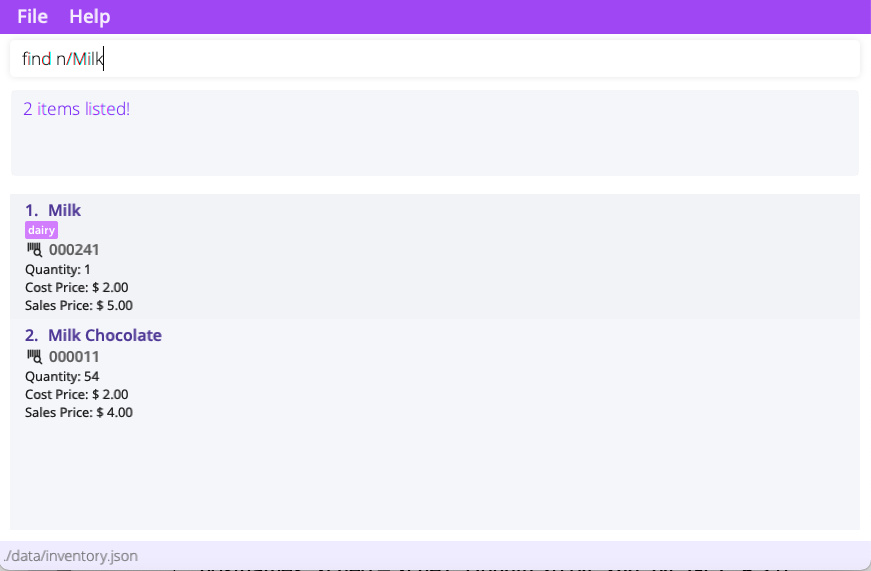
Finding items: find
Find items in the inventory. Note that display must be in inventory mode (see list).
Format: find [ n/{name}... | id/{id}... | t/{tag}... ]
BogoBogo searches and lists items in the inventory that matches any of the specified name, id, or tag.
Examples:
-
find n/Cookie n/Applefinds and lists items with the words “Cookie” or “Apple” in their names. -
find id/123456finds item with id 123456.
Clearing items and all other data: clear
Clears the entire inventory and all other data, i.e. bookkeeping and transaction record.
Format: clear
Be careful with this command! Clearing an inventory will not only clear the inventory but delete memory regarding items' details. 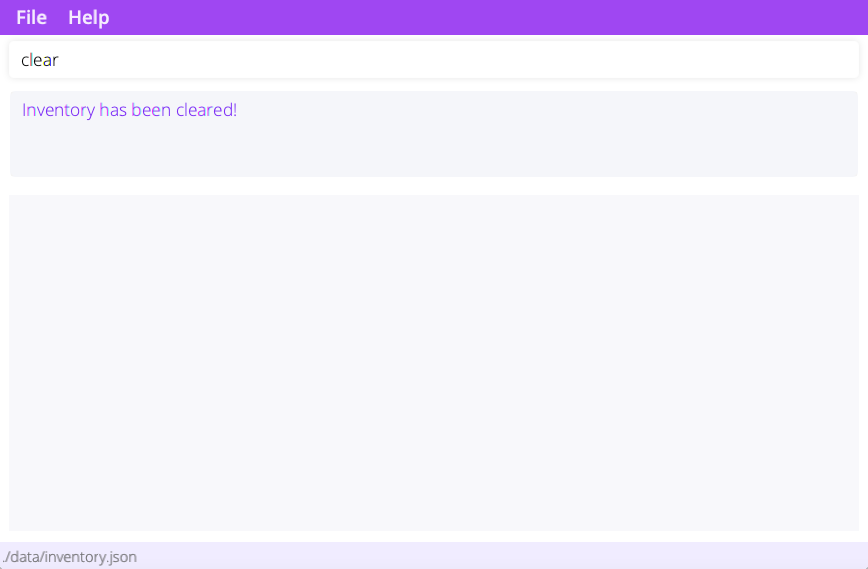
Managing orders
Orders is BogoBogo’s way of tracking sold items. Users can create orders, process, and save them for later review. By processing an order, the revenue attained will be added into total revenue which can then be used to calculate profits.
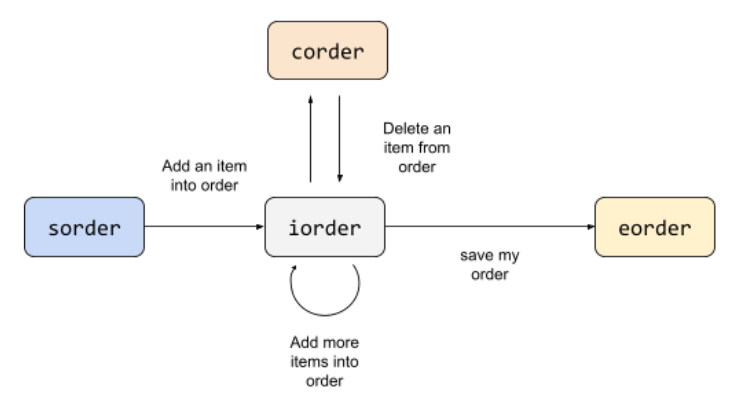
Be sure not to close BogoBogo without saving your order! Any unsaved order will be lost. The workflow of the order system is as follows:
- Use
sorderto enter ordering mode. - Use
iorderto add items into your order. - Use
corderto remove items from your order. - Use
eorderto place your order. - Use
list orderto see current items in your order (seelist).
Start ordering: sorder
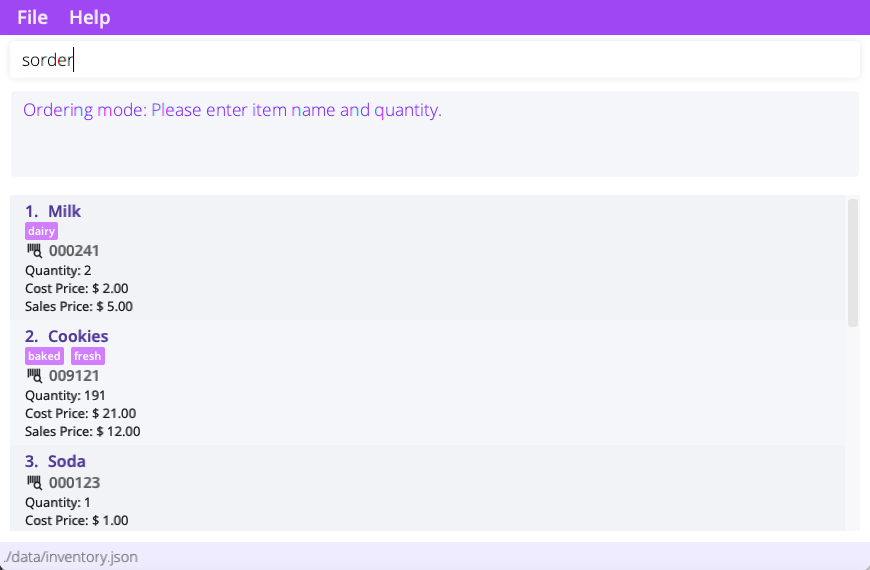
Starts a new order and enters ordering mode.
Format: sorder
Adding an item into order: iorder
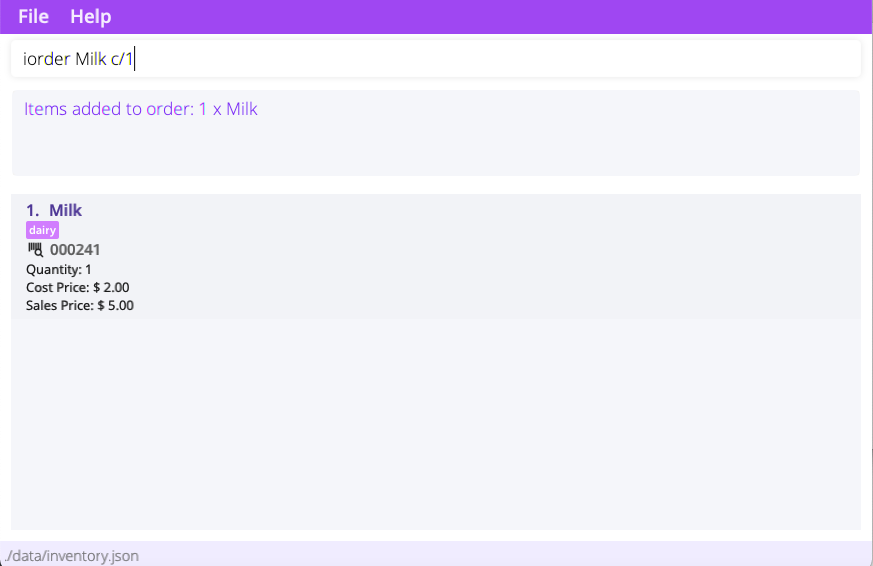
Add an item into the current order. BogoBogo will let you know if there isn’t enough items in the inventory to fulfill the order request.
Once having added items, you can view your current order with list order. Format: iorder [ {name} | id/{id} ] (c/{count})
| Flag | Argument | Description | Remarks |
|---|---|---|---|
| name | Name of the item to add to order. | Only alphanumeric characters (and spaces) are allowed. | |
id/ | id number | Id number of the item to add to order. | Must be an integer with no more than 6 digits. |
c/ | count | Quantity of the item to add to order. | Must be a positive integer, default value is 1. |
Examples:
-
iorder milk c/5Adds 5x milk into the current order. -
iorder id/12345Adds 1x item with id 12345 into the current order.
Cancelling an item in the order: corder
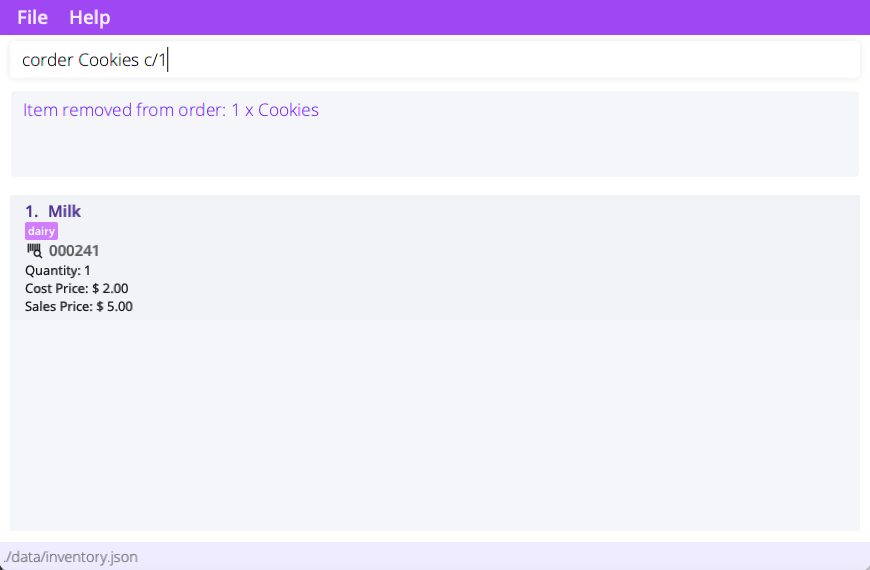
Cancels the specified order from the current order.
Format: corder [ {name} | id/{id} ] (c/count)
| Flag | Argument | Description | Remarks |
|---|---|---|---|
| name | Name of the item to remove from order. | Only alphanumeric characters (and spaces) are allowed. | |
id/ | id number | Id number of the item to remove from order. | Must be an integer with no more than 6 digits. |
c/ | count | Quantity of the item to remove from order. | Must be a positive integer, default value is 1. |
Examples:
-
corder milk c/5Removes 5x milk from the order. -
corder id/12345Removes 1x item with id 12345 from the order.
End ordering: eorder
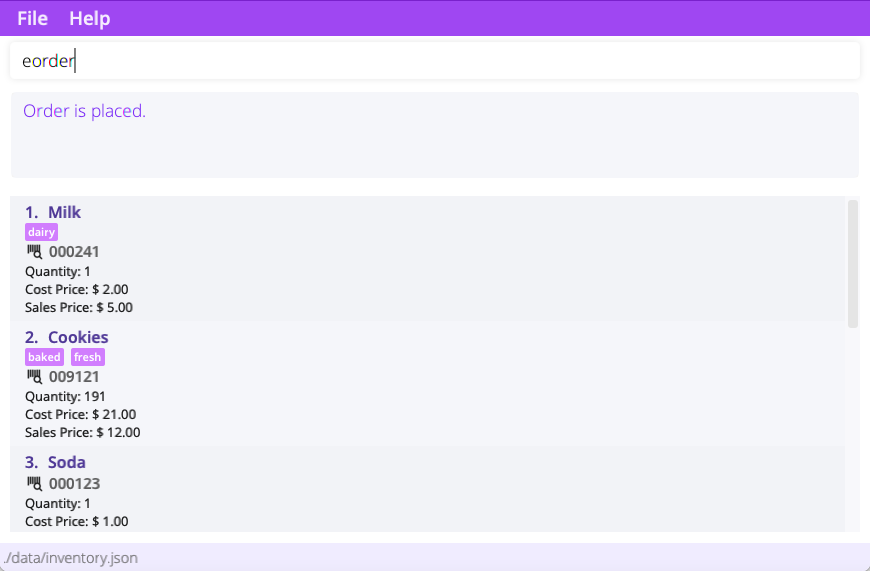
Processes the current order and saves it.
Format: eorder
FAQ
Q: What is total profit, cost and revenue?
A: Total cost is the total amount of money incurred from adding items to the inventory. Revenue is the total amount of money gained from successfully receiving orders and selling items. Profit = Revenue - Cost.
Q: I just started using the app. Why is there a lot of cost incurred in my bookkeeping?
A: When you use the app for the first time, it comes with sample inventory, and the bookkeeping will reflect the costs of the items inside this sample inventory. If you would like to start afresh, please use the clear command.
Q: What’s the difference between remove and delete?
A: delete is meant for items wrongly added into the inventory. BogoBogo retracts an item cost when an item is deleted. remove, on the other hand, is for items added but not sold (e.g. expired goods). Because the item is correctly added, cost is still incurred.
BogoBogo only retracts the costs of unsold items. If items are sold, cost will forever be incurred! Q: I have edited the cost price of my item. Why isn’t the change reflected in my total cost?
A: BogoBogo adds the cost of an item to the total cost only upon the addition of the item into the inventory. Any changes to cost price is assumed to be for future restocking of the item.
Q: Why can’t I edit the count of an item with edit?
A: Due to the calculation of total cost and revenue, BogoBogo needs to know the reason for the change in count. Use add for stocking items, delete to delete accidentally added items, remove to remove unsold items (e.g. expired goods), and iorder to account for sold items.
Q: Why does find t/baked t/popular still show items that only have t/baked as a tag (not both)?
A: find t/baked t/popular means “please find items that have either baked OR popular as a tag”, not “please find items that have both baked AND popular as tags”
Q: Why can’t I see my cost prices in my past transactions?
A: Past transactions only store important transaction related details. Storing cost price can be misleading since costs can change over time!
Q: My business is really growing lately, why does my BogoBogo calculation of revenue, profit, and cost seem wrong?
A: BogoBogo was built for small businesses in mind. On that note, it doesn’t calculate revenue and cost beyond $999,999,999. Consider hiring an accountant, you billionaire! ——————————————————————————————————————–
Command summary
-
Viewing Help:
help ({command}) -
Add Item:
add [{name} | id/{id number}] (c/{count}) (cp/{cost price}) (sp/{sell price}) (t/{tag})... -
Delete Item:
delete [{name} | id/{id number}] -
Remove Item:
remove [ {name} | id/{id number} ] c/{count} -
List:
list [ order | txns | txns {id} ] -
Sort Items:
sort n/orsort c/ -
Find Items:
find [ n/{name}... | id/{id}... | t/{tag}... ] -
Clearing Items and All Data:
clear -
Start an order:
sorder -
Add item to order:
iorder [ {name} | id/{id} ] (c/{count}) -
Remove item from order:
corder [ {name} | id/{id} ] (c/count) -
End the order:
eorder -
Exit BogoBogo:
exit